02. Storyboard
Storyboard Heading
Storyboard
L6 03 Storyboard
Storyboard Recap
Things to remember
- Storyboard maps out the problem facing your user and the journey they go through with your product to solve it
- A storyboard is composed of frames that depict events along the user journey
- Each frame should have a caption that explains what is happening and why
- The first frame should explain how the user found themselves in this scenario and what is the problem they are trying to solve
- The storyboard will become the blueprint for the prototype
Creating a Storyboard
There are tools you can use to create storyboards or you can just use pencil and paper. This Storyboard Template (Google Slides) or this Storyboard Template (PPT) can help you get started.
Storyboard example
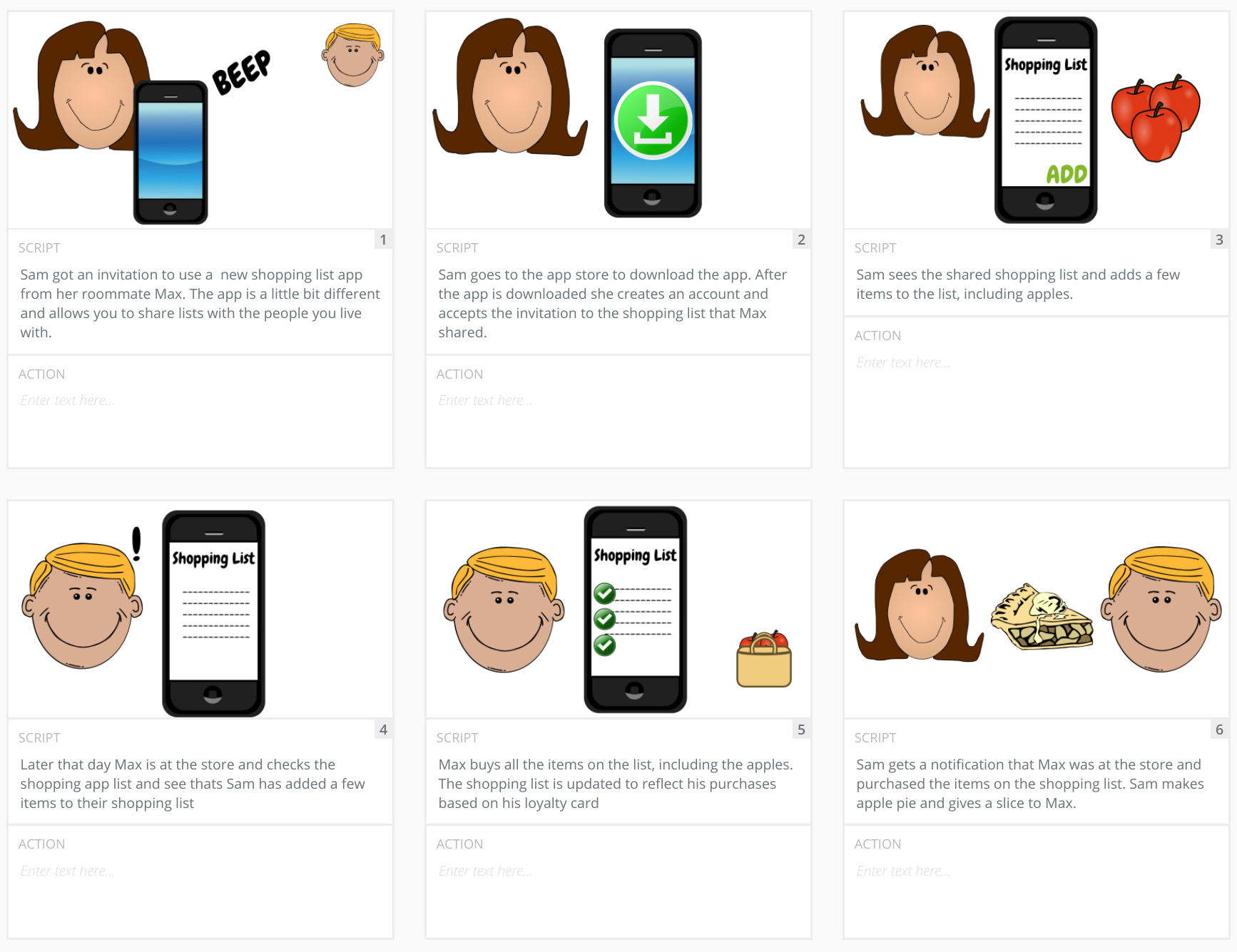
Here’s an example of what a storyboard looks like
Storyboard Recap Quiz
SOLUTION:
- Multiple frames that depict the user journey
- A caption for each frame
Storyboard Quiz
SOLUTION:
FalseStoryboard Further Research